
Introduction: The Need for More Wireless Spectrum Wireless connectivity is no longer a convenience;...
The PoE audit that saved a university's WiFi 7 rollout
A regional university with 35 classroom and administrative buildings brought us in at the start of their WiFi 7 refresh. Hardware was selected, budget approved, deployment schedule drafted. What the university didn't have was an answer to the question: Could their existing access switches actually power the new APs?
That question is not safe to assume. WiFi 7 tri-band APs can draw up to 90W at full load. Most campus switches deployed five to eight years ago max out at 30W per port. Deploy a 90W AP on a 30W port and the AP powers on, joins the controller, and looks healthy in the dashboard. It just runs with one or more radios disabled. Nobody raises a ticket. Users complain the WiFi is slow.
PoE capacity has two dimensions teams routinely conflate
Per-port power is what the datasheet advertises: 802.3bt Type 4 (90W), Type 3 (60W), or 802.3at (25.5W). Chassis budget is the binding constraint. A 48-port switch advertising 30W per port has a theoretical maximum of 1440W, but the actual power supply typically delivers 715W or 1100W total. Fill 18 ports with 60W APs and you've hit the ceiling. The rest negotiate down and lose radios. The transition from 802.3af through 802.3bt and its practical impact on campus planning is covered in our campus networking solutions.
The university's campus had been built out across three switch refresh cycles over roughly a decade. The newest closets could handle the load. The oldest couldn't. No single document showed which was which.
We audited 38 wiring closets across all 35 buildings
The audit documented four things per closet.
Per-port PoE standard. We pulled the actual hardware model and verified the PoE standard, not the procurement record. Several closets had switches logged as "PoE+" that were delivering 802.3af (15.4W) because the higher-wattage PSU option hadn't been ordered. That gap isn't recoverable without a hardware change. For organizations planning WiFi 7 campus deployments, our assessment and modernization services include PoE readiness as a scoping deliverable.
Chassis budget vs. planned load. For each switch, we summed currently connected PoE devices, added the planned AP draw post-deployment, and compared against actual PSU capacity. Anything over 85% of chassis budget got flagged. Running PoE at 100% of chassis capacity in production is a resilience risk, not just a planning miss.
Cabling four-pair continuity. 802.3bt requires all four wire pairs intact and correctly terminated. Campuses built before the late 2000s frequently have runs terminated for two-pair Fast Ethernet and never tested since. A cable that passes a basic link test can still fail to deliver 802.3bt power. We spot-checked 10% of runs per building and flagged closets above threshold for full testing.
Uplink speed. We noted whether AP-connected ports were 1G, mGig, or 10G. Any closet where WiFi 7 APs would land on 1G ports got flagged. Solving the PoE problem while leaving a 1G uplink bottleneck in place produces an AP that runs all radios but still underperforms.
Remediation sequencing. The audit produced a per-closet matrix: deploy-ready, PSU upgrade required, or switch replacement required. We sequenced deployment to start with deploy-ready buildings and use AP delivery lead time to complete hardware changes before the rollout reached the flagged closets. For the full campus architecture context, our campus networking solutions page covers how PoE and switching fit into a modern campus design.
11 closets needed PSU upgrades and 6 needed full switch replacements
Of the 38 closets audited, 17 required hardware changes before deployment could proceed. Without the audit, those 17 closets would have received APs that appeared successful but ran in degraded power mode from day one, with no obvious symptom.
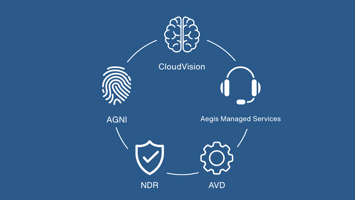
The phased remediation added three weeks to the project schedule and zero unplanned delays. The alternative, discovering PoE issues building by building during deployment, typically costs 4 to 6 weeks of reactive work plus a re-procurement cycle if replacement switches weren't in the original budget. For Arista campus environments, CloudVision surfaces PoE draw per port in the dashboard and makes the load calculation substantially faster.
Any campus planning a WiFi 7 refresh on infrastructure more than four years old should run this audit
The gap between 802.3at (the most common installed standard) and 802.3bt Type 3 or 4 (what WiFi 7 needs) is wide enough to affect most existing campus deployments. Healthcare campuses, corporate campuses, and higher education all encounter the same pattern; the remediation mix differs based on infrastructure homogeneity.
Greenfield deployments or post-2021 refresh projects where 802.3bt switches were already specified are the exception. The cabling continuity check still has value in those environments, but the PoE gap analysis is largely answered.
FAQ
Do all WiFi 7 APs need PoE++ to function?
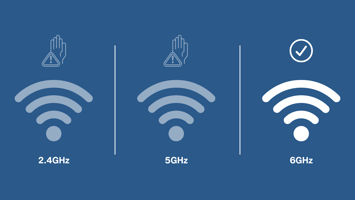
Most tri-band WiFi 7 APs need at least 802.3bt Type 3 (60W) to run all radios simultaneously. Some operate on 802.3at (25.5W) in reduced mode, typically disabling the 6 GHz radio. Check the specific AP datasheet for the power profiles and what capability is lost at each tier.
Can power injectors bridge the gap on older switches?
Yes, midspan injectors work for individual ports where the switch can't deliver 802.3bt. They don't solve the mGig uplink problem and add cost and complexity. Useful for a handful of exceptions in an otherwise ready deployment, not for 38 closets.
How long does the audit take?
For a 35 to 50 building campus, plan on 1 to 2 weeks for the audit plus another week for the remediation matrix and sequencing plan. Teams that run the audit in parallel with deployment discover issues mid-rollout rather than before it.